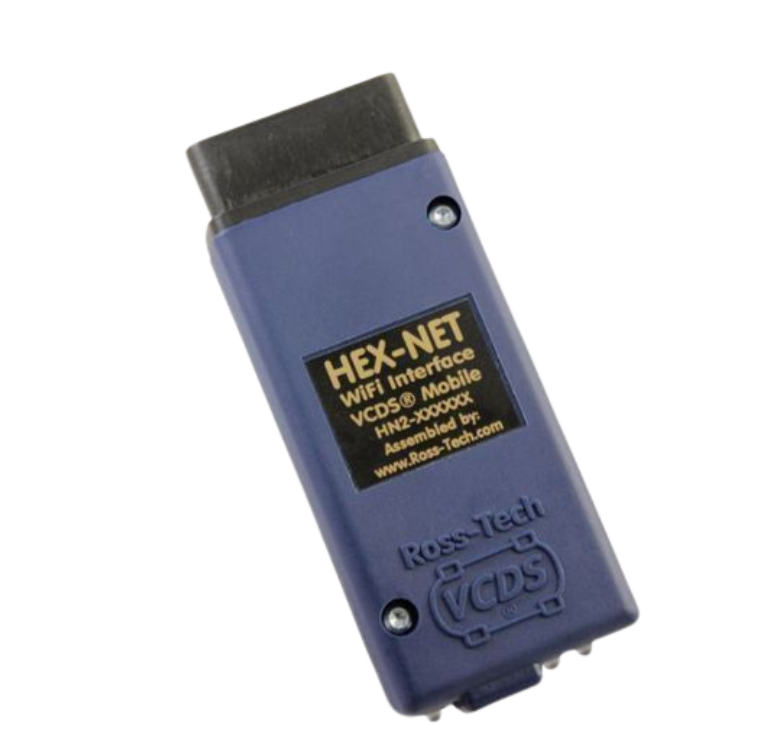
VCDS HEX - NET
This interface works with all diagnostic-capable VW-Audi Group passenger cars from 1990 through current, except it does NOT fully support the following vehicles:
- Routan vans — All years. These are re-badged Chryslers and don’t use VW’s diagnostic protocols.
- Some 1991-1994 Audi TDI engines with ECUs that communicate at 240bps.
Computer Requirements:
We recommend at least a 1 GHz dual-core processor with 1 GB of RAM and Windows 7 or newer. Slower computers or Windows 2000, XP, and Vista may work but are not officially supported. Windows 8. 8.1, or 10 on a machine robust enough to support the respective operating system are also fine.
WiFi Requirements:
To use the HEX-NET wirelessly, it needs to communicate via 802.11 b/g at 2.4 GHz. This means that for Access Point mode, the client device with the web browser (laptop computer, tablet, etc.) needs to support 802.11 b/g at 2.4 GHz. To use the HEX-NET in Infrastructure mode, both the client device and the router that is connected to the Internet need to support 802.11 b/g at 2.4 GHz. Specifically, 5 GHz WiFi is not supported nor are channels 12 and 13 supported.
Extending this Interface
The cable supplied with this interface is about 6 feet long — just right for most laptops. We sell a 3-ft OBD extension in our web store that lets you keep your diagnostic tool connected and away from the driver’s feet and legs. If you need more than that … well, it’s a WiFi interface! 😉
Registration:
In most cases, interfaces purchased directly from Ross-Tech will be pre-registered. Interfaces purchased from our authorized resellers must be registered within 10-15 uses to remain functional. Registration is accomplished on-line using a utility supplied with VCDS.
Resale:
This interface acts as a “dongle” for VCDS, so the software should be fully functional on any PC you use with the HEX-V2. However, product support is provided only to the original registered user. If you buy a second-hand HEX-USB+CAN from someone and want support, you’ll still need to pay $99 to re-register the interface in your name..
Software:
The HEX-NET should be used with the latest version of our VCDS software. The HEX-NET does not have the ability to emulate a dumb serial pass-through interface and thus unlikely to be compatible with any software other than VCDS.
Driver Installation:
The HEX-NET enumerates as an HID device and does not require a special driver. However, there are some HID power management quirks in 8.1 and newer fixed by installing a device-specific “driver” (actually just an INF file) supplied with the VCDS installer.
When used with VCDS on a PC via WiFi, Windows Firewall may ask you to allow traffic from VCDS. If this happens, you should allow it. There is also an “Open Windows Firewall for HEX-NET via WiFi” option in the VCDS-Installer that can and should be selected to pre-allow the connection.
- PC connectivity with VCDS via WiFi or USB
- Includes VCDS-Mobile bringing VW/Audi diagnostics to devices such as smartphones and tablets. A chart showing the currently supported functions can be found here.
- Compatible with all diagnostic-capable VW/Audi passenger cars from 1996 to current; K, K+L, dual-K, or CAN.
- Detachable USB cable. The supplied cable has a proprietary screw locking mechanism, but it can be replaced temporarily with a standard USB-A to USB-B (“printer”) cable should it become damaged.
- Modern 32-bit micro-controller and fully updateable firmware.
- Three bi-color (red/green) status/activity LEDs
- As of late 2020, “HN2” HEX-NETs in blue shells support car-side communications via DoIP
- 12 month guarantee against defects in workmanship or materials.
- Includes an embedded license for VCDS and thus acts as a “dongle” for the software, allowing the software to be used and installed on any compatible PC.
- Available now, in our store and from many of our distributors.
- This interface terminates in an OBD-II type connector that plugs right in to most 1995 and newer VW’s and 1996 and newer Audis. It is also compatible with many 1990-1995 Audis and 1990-1994 VW’s have the “2×2” data link connector, click here for more info.